
Free recipe costing software for food businesses
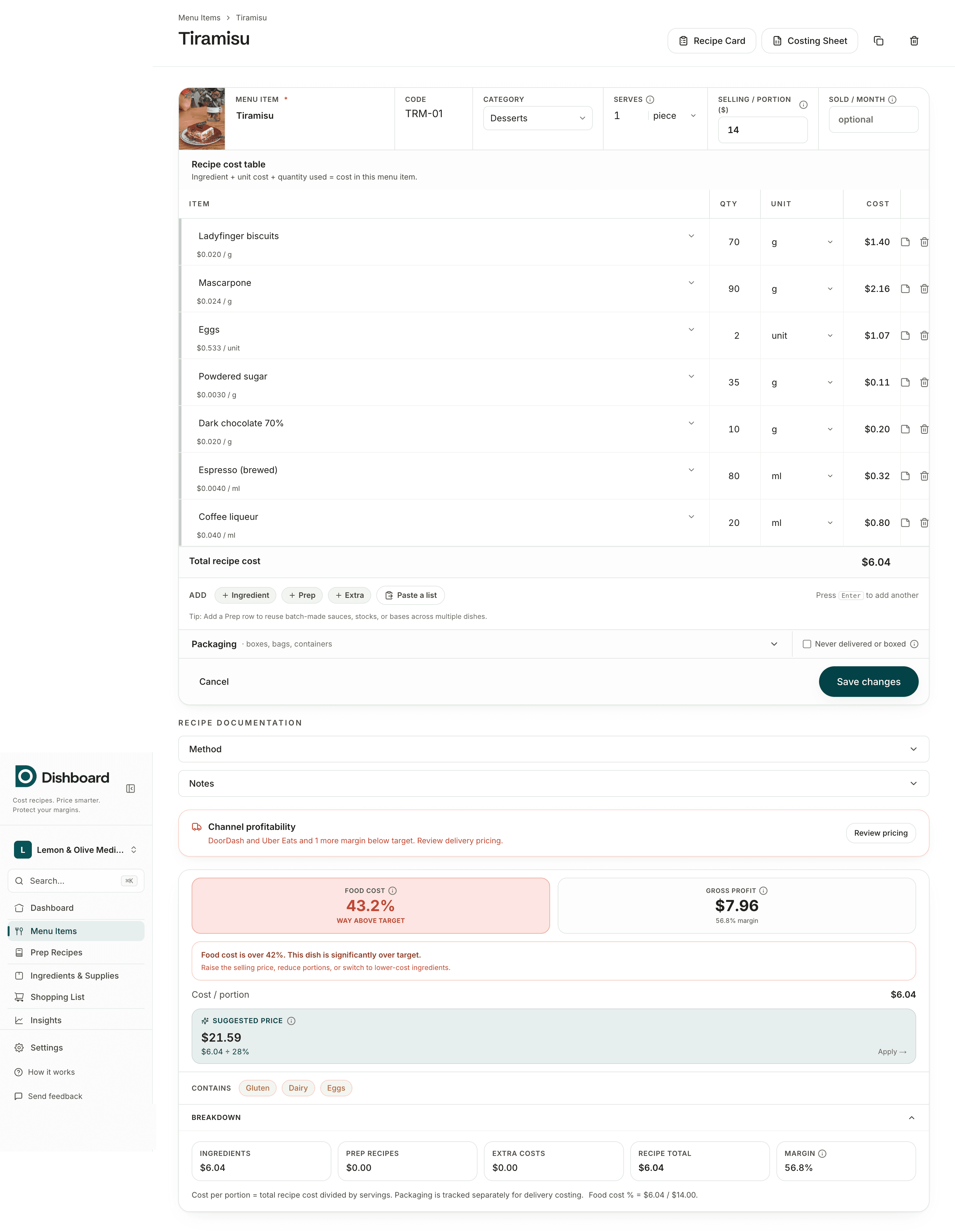
Dishboard costs your recipes, calculates food cost percentage and gross margin, and tells you what to charge, across dine-in and delivery. Start with the recipe you already have: paste it in and Dishboard reads the ingredients, quantities and units for you. Every feature is free, with no card required. We built it to help small food businesses protect their margins.
What recipe costing software does
Costing a menu by hand or in a spreadsheet works until a price changes. Then every dish that uses that ingredient is wrong, and you have to chase the formulas. Recipe costing software keeps one source of truth for your ingredient prices and recalculates every dish the moment something moves.
Why not a spreadsheet?
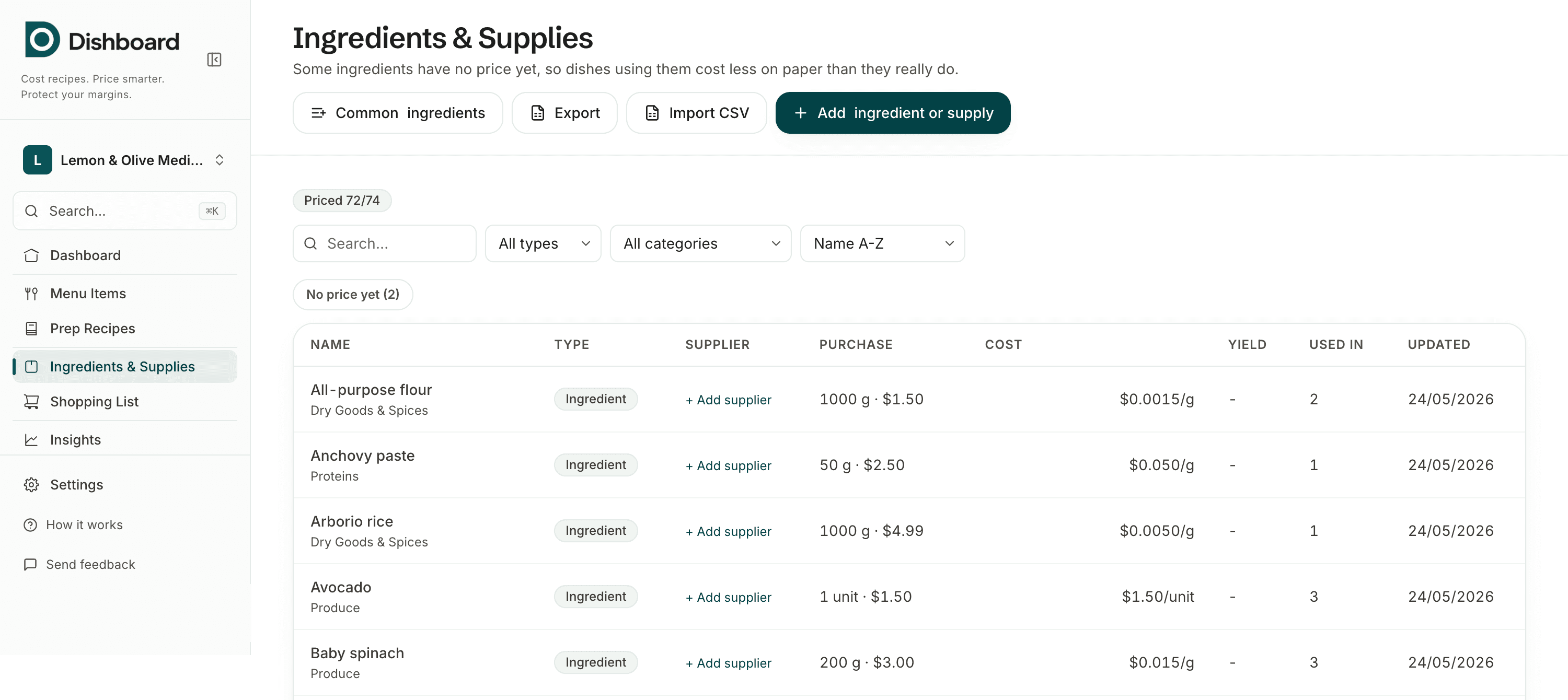
A spreadsheet is free, works offline and does exactly what you tell it, and for a short menu that is often enough. It stops being enough when a price moves: the unit conversions, the yield adjustments and the per-dish formulas are all yours to maintain, and one wrong cell stays invisible until the margin has already gone.
Dishboard keeps one price per ingredient and recalculates every dish that uses it. Your existing sheet is not wasted either: ingredients import straight from CSV.
See the full comparison, including where a spreadsheet still winsHow it works
- 1
Paste your recipe
Copy a recipe from anywhere, a supplier sheet, a cookbook, your own notes, and paste it in as plain text. Dishboard reads the ingredients, quantities and units for you.
- 2
Add what you pay
Enter the pack price for any ingredient Dishboard creates or matches. No cost-per-gram math required, and manual entry still works if you would rather type it in yourself.
- 3
Price with confidence
Cost per portion, food cost %, and gross margin calculate live. See the suggested price to hit your target margin, and compare dine-in to DoorDash, Uber Eats, and Grubhub after commission.
Built for every kind of food business
Why it is free
Margins are tight in food, and good costing tools have historically cost money small operators do not have. Dishboard is free so any kitchen can price properly.
Free calculators, no signup
Want a quick answer before you sign up? These free tools use the same math.
Frequently asked questions
- Is Dishboard really free?
- Yes, every feature, for everyone, with no plan limits. See the full answer on the pricing page.
- What does recipe costing software do?
- It turns your ingredient prices and recipes into an accurate cost for every dish, then shows food cost percentage, gross margin, and a suggested selling price. When an ingredient price changes, every dish that uses it recalculates automatically, which is the part spreadsheets make painful.
- Do I need a credit card to start?
- No. There is no card required and no subscription. Sign up and start costing your menu in minutes.
- Can I import my existing ingredient list?
- Yes. You can import ingredients and supplies from a CSV, or quick-add common ingredients from a built-in starter list with units pre-filled, so you only enter your prices.
- Can I paste a recipe instead of typing it in?
- Yes. Paste a recipe as plain text and Dishboard reads the ingredients, quantities and units, including cups and spoons, out for you. A price is never invented, you still enter what you paid for each pack.
- What kinds of food business is it for?
- Restaurants, cafes, bakeries, food trucks, and delivery kitchens. Anything that buys ingredients and sells dishes. It handles dine-in and delivery pricing, packaging, prep recipes, and yield.
Cost your menu in Dishboard, free
Every feature, no card required. Start costing your first dish in minutes.